Share with the intended customer.
Send the invoice through a trusted channel. It opens without your secret API key, and anyone with the usable link can view its contents.
Checkout · Hosted invoices
Send a hosted invoice for an order you have prepared in Inttegro or through the API. Your customer can check the items, download the invoice and pay on the page, while you follow the outcome on the original order.
Set up checkout for free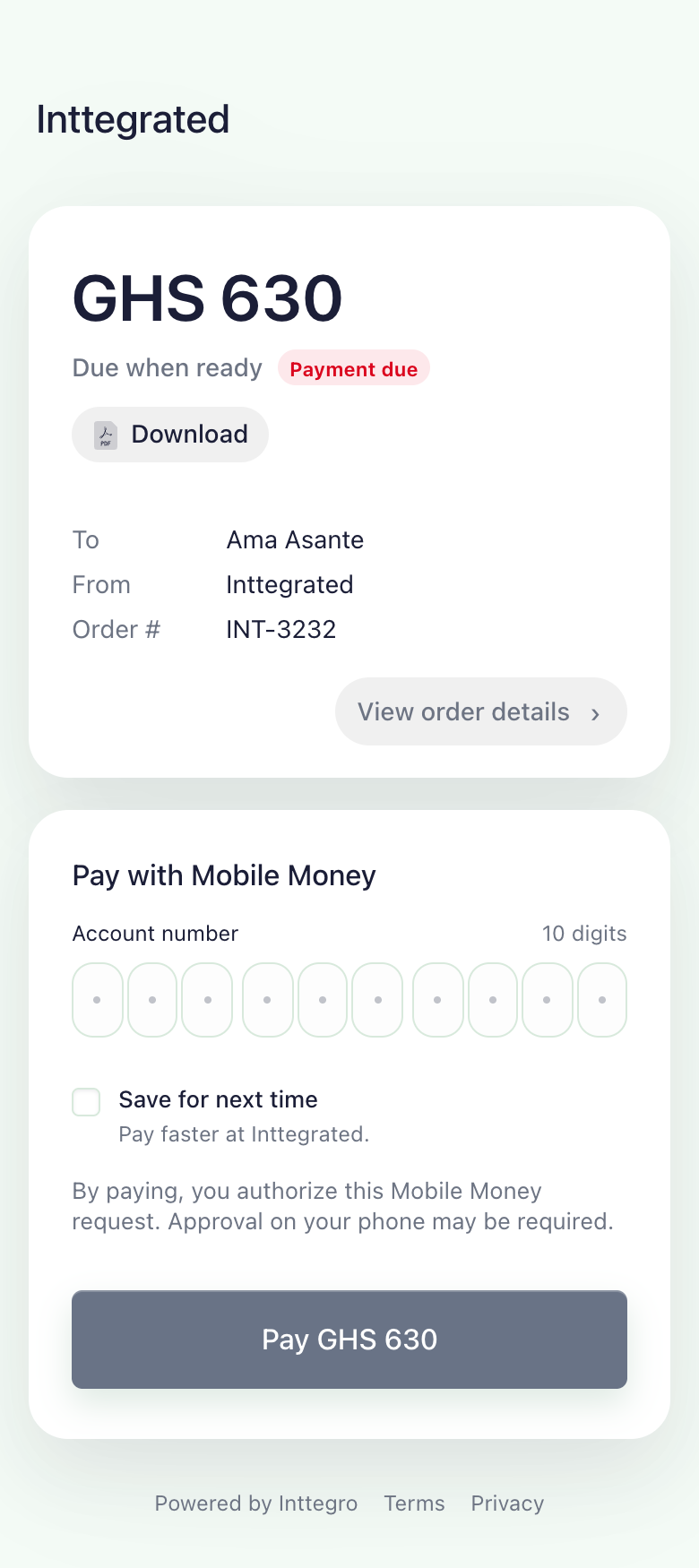
Order review
The hosted invoice identifies your business and the customer, with an item breakdown that explains the total. Customers can review the quantities and prices before entering their payment details.
Available payment methods depend on your account setup.
Check availability
Payment outcome
After sharing the invoice, return to the order in Inttegro or look it up through the API. The recorded payment state tells your team and application whether payment is still needed or fulfillment can begin.

Check the order’s payment state before fulfillment. A customer returning to your site does not by itself confirm payment.
A paid order and a completed order mean different things. Mark the order complete when your delivery or service is finished.
Invoice documents
Finalized orders provide both a web invoice and a PDF. Use the hosted page to collect payment, with a download available for a customer’s purchasing or accounts process.
Send the invoice through a trusted channel. It opens without your secret API key, and anyone with the usable link can view its contents.
The PDF reflects the invoice’s state when generated. A document requesting payment does not establish that the customer has paid.
The hosted page reflects the recorded payment outcome. Your team can inspect the order before sending a receipt for the sale.
Need payment inside your own website or app?
Compare embedded, modal and mobile CheckoutHosted payment, your workflow
Prepare a service invoice in the dashboard or create an order in your application. Both produce a hosted invoice that you can share with the customer, with payment recorded against the original sale.
Checkout
A Buy link presents a product offer and creates an order when a customer checks out. A hosted invoice belongs to an existing finalized order. Use Buy links to share an offer with potential buyers; use Checkout to collect payment for a specific order.
No. Inttegro hosts the invoice and payment experience. Your team can prepare the order in the dashboard, or your application can create it through the API. You share the hosted URL rather than maintaining the payment form yourself.
The hosted experience supports mobile-money payment and any required customer confirmation. Available methods and payment activation depend on your account setup. Check availability for your business before planning a rollout.
Yes. Finalized orders provide web and PDF invoice URLs. The hosted page includes a download action, and the PDF reflects the invoice’s current state. An invoice requesting payment is not proof that payment succeeded.
If payment needs to stay inside your website, the Web SDK supports embedded and modal presentations. Native mobile SDKs provide payment sheets for mobile apps. Explore the Payments page to compare them with the hosted invoice.
Send it only to the intended customer through a trusted channel. Hosted invoice URLs do not require your secret API key; anyone with the link can view the invoice while it is usable. Keep these URLs out of public posts and analytics logs.