Use the dashboard
Prepare products, create offers and invoice customers in Inttegro. Check the resulting orders when your team needs payment evidence or a customer’s purchase history.
Start for freeSocial selling
Sell through social posts, messages and email without asking customers to navigate a full storefront. Share a Buy link for a product offer or a private invoice for an agreed order. Inttegro records the customer, purchase and payment so your team can follow the sale after the conversation moves on.
Start selling with links for free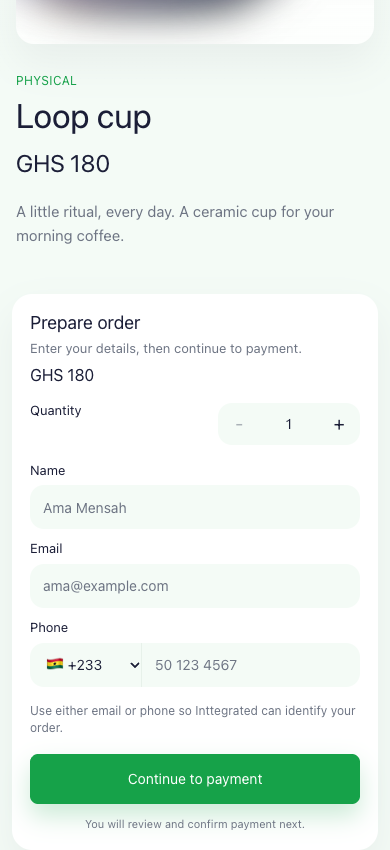
A sale from a conversation
A seller can share a public product offer, then use a customer-specific order when the conversation needs a tailored purchase.
Put a Buy link in a post, message or email where people discover your product.
The customer reviews the offer and continues to payment.
Use the recorded payment and customer details to arrange what happens next.
Buy links
A social post can introduce a product, but customers still need to know what they are buying and how to pay. A Buy link takes them to a hosted offer with the selected product, price and quantity controls. You can share that URL through the channels you already use, without building a separate store first.
Use a multi-use link for an offer many people can buy. Set an expiry for a limited campaign, and stop new purchases by deactivating the link when the offer ends.
Explore Buy links
Customer-specific sales
Some sales need a conversation first: a customer wants several items, an agreed service or a particular combination. Prepare that order in Inttegro, review the customer and line items, then share its hosted invoice. The customer pays the order you agreed instead of working out a total from a message thread.
The invoice remains connected to the order your team uses to check payment and coordinate fulfillment. Share customer-specific invoice links privately; unlike a public product offer, they contain information intended for that customer.
Explore hosted invoices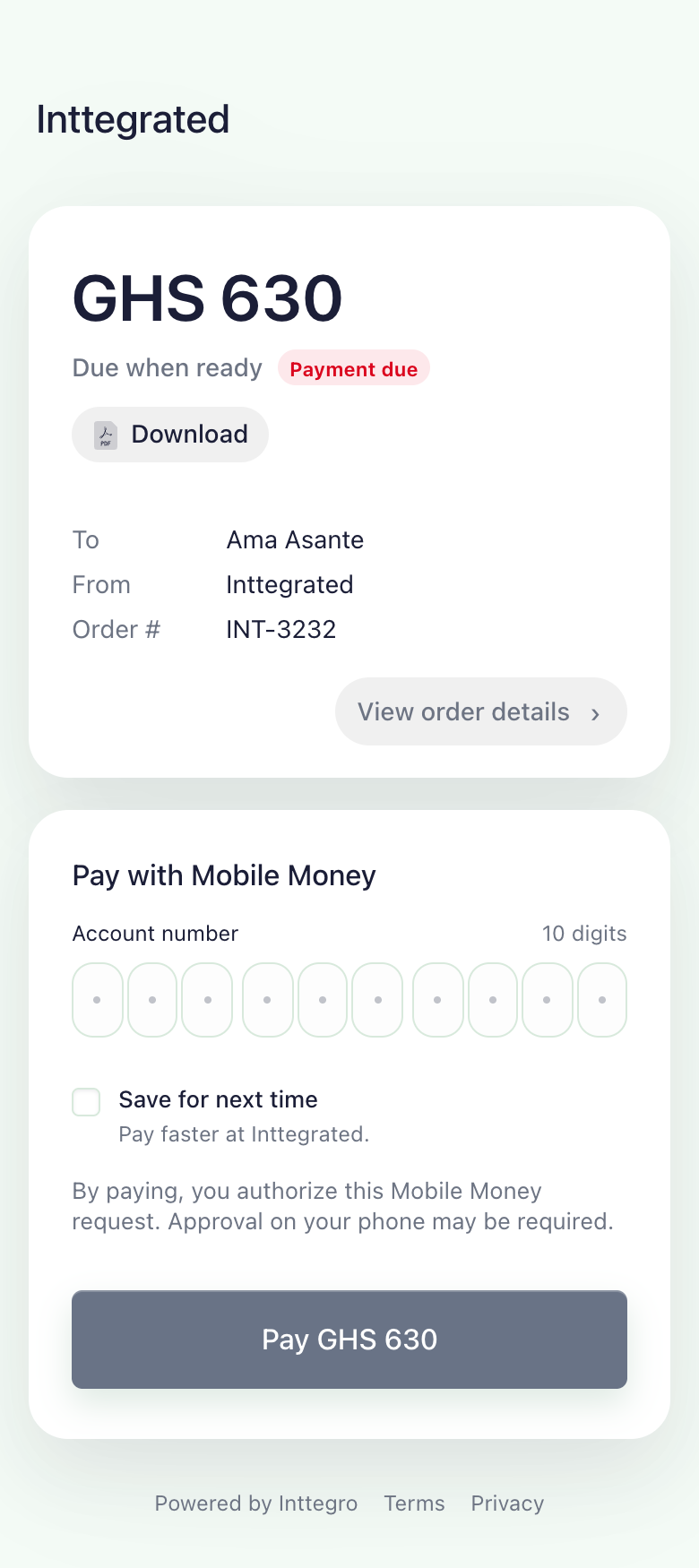
Customer follow-up
A conversation is useful for agreeing a purchase, but it is a poor place to reconstruct payment and fulfillment later. Inttegro keeps the order and customer records available when someone asks whether payment arrived or when their purchase will be ready. Your team can inspect the recorded state before answering.
Use Chimes for order updates and follow-up notifications by SMS or email. Messages have their own delivery records, so a send attempt is not mistaken for a confirmed delivery. Your social inbox remains where the conversation happens.
Explore customer messaging
Prepare products, create offers and invoice customers in Inttegro. Check the resulting orders when your team needs payment evidence or a customer’s purchase history.
Start for freeGenerate Buy links from your backend when your own sales application prepares an offer. Keep the link ID and follow the resulting orders through the API.
Read how to create a Buy linkCustomers can open the hosted offer or invoice link and follow its checkout flow. They do not need a merchant dashboard account. The payment method can still require customer confirmation, such as approval on their phone.
These links work in channels where you can share a URL. That does not mean Inttegro imports your conversations, manages social comments or provides a native integration with every social network. Keep using your existing inbox for those conversations.
A single-use Buy link is consumed when it successfully creates an order, not when payment is confirmed. Follow the resulting order to check payment. Use a multi-use link when several customers should be able to create separate orders.
Choose a product offer or prepare the customer’s order. Inttegro provides the hosted payment journey and the records your team needs afterward.