Use the dashboard
Authorised teams can inspect account-specific orders, customer records and money movements in Inttegro. Use those records to investigate a seller or buyer question alongside your marketplace’s own support context.
Start for freeMarketplaces
Give each seller an Inttegro account with its own orders, customers, balances and payout records. Connect those accounts to the marketplace you build, choose how buyers pay and keep the seller’s activity identifiable after checkout. Your integration controls the marketplace experience while authorised teams can inspect the underlying commerce records in Inttegro.
Set up seller accounts for free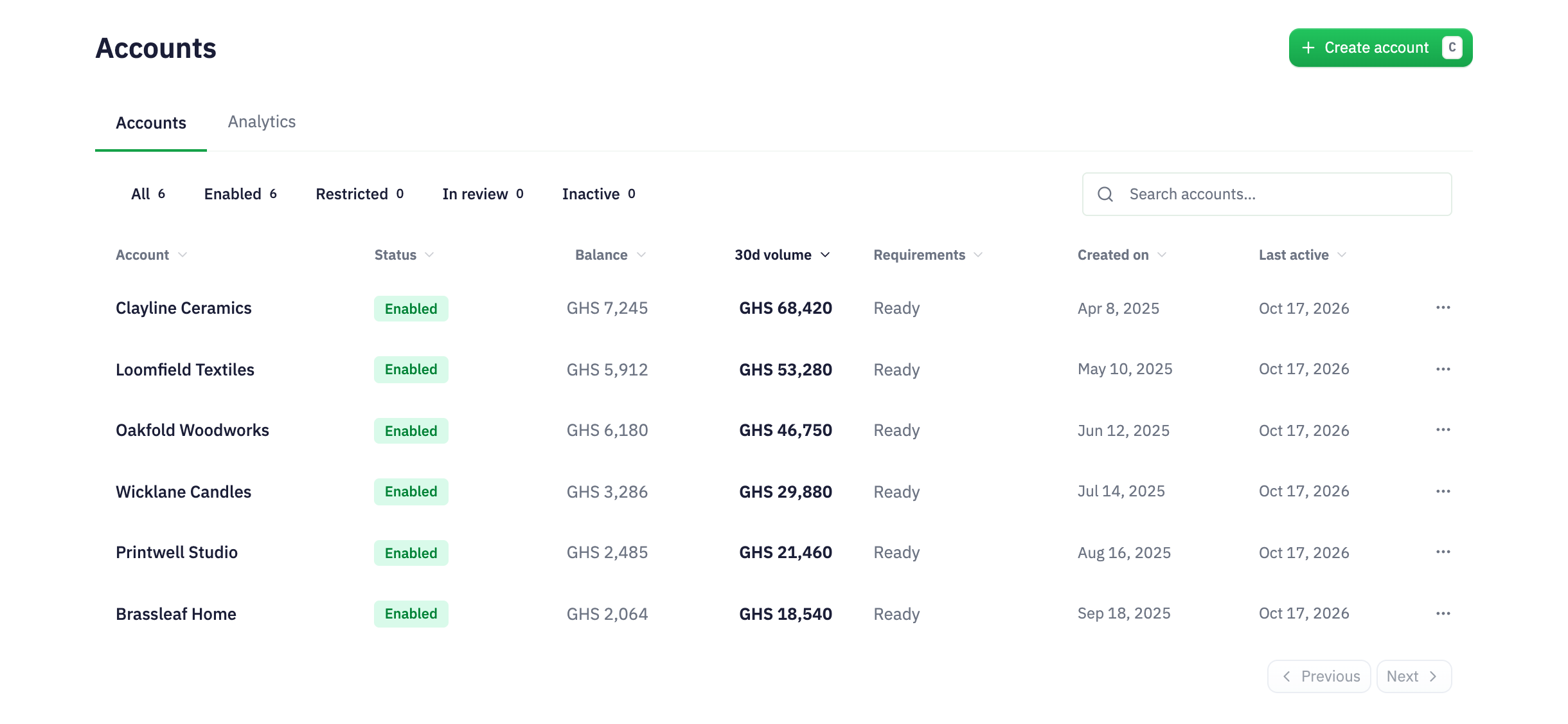
A seller-specific marketplace order
Illustrative marketplace: Inttegrated Market connects independent homeware and craft sellers, with each seller’s orders kept in its own account.
Choose the account relationship and credential policies for your operating model.
Create the purchase in the correct account and offer the selected checkout experience.
Inspect payment, balance transactions and eligible payouts with their account and order references.
Seller structure
A seller is more than a name attached to a checkout. Their Inttegro account holds the orders, customers, payment methods, balances, payouts and messages associated with their business. Creating child accounts gives your marketplace an explicit structure while keeping those records within the relevant account boundary. Open a seller’s overview to review revenue, orders and payment success before moving into its workspace.
Define whether the parent or child manages the account relationship and controls credentials. Those policies are part of your operating design, not permissions to assume from an account ID. Choose them to match how sellers will work with your platform.
Explore the order records sellers use

Buyer experience
Your application owns discovery, seller selection and the cart experience. Inttegro provides the order and payment workflow behind the purchase. Create the order in the intended account, then use a hosted invoice or the web and mobile SDKs to offer payment in the surface that fits your marketplace.
Keep the seller, account and order references together when your system handles support or fulfillment. The account model does not automatically divide a mixed-seller basket into separate payments or calculate commissions; design and verify that commercial flow before presenting it to buyers.
Explore payment integration options
Money movement
Payout setup needs to reflect who receives funds for a sale. Inttegro supports account-level payout configuration and an order-specific destination override for an eligible financial account. That lets an integration choose a destination for an order without treating every sale as if it had the same payout setup.
Follow the recorded payment, balance transactions and payout outcome when reconciling a seller’s activity. Funds must be eligible and the destination supported; collecting payment does not mean a payout has completed. Per-order routing is distinct from splitting one payment among several sellers.
Explore payouts & reconciliation
Seller account analytics
Compare current reported balances and the last 30 days of gross order volume across your organisation’s accounts, in the reporting currency. Use the portfolio view to identify seller accounts to investigate, then open their records for context. These summaries do not pool seller funds or split payments.

Authorised teams can inspect account-specific orders, customer records and money movements in Inttegro. Use those records to investigate a seller or buyer question alongside your marketplace’s own support context.
Start for freeCreate child accounts with explicit management and credential policies, then use the correct account context for commerce operations. Keep account identifiers with your seller records and store secret credentials only on trusted servers.
Read how to create a seller accountThe documented account model and per-order payout destination do not establish an automatic commission or split-payment engine. Specify who sells, who collects and who receives funds, then verify that complete payment flow before building a mixed-seller checkout.
No. Account creation establishes the account and its relationship. Payment capabilities, business requirements and payout destinations must be available for that seller’s setup. Do not treat a successful creation response as payment activation or a completed verification process.
Do not assume that parent placement alone grants unrestricted access. Account relationship, credential and authorisation policies determine which operations are permitted. Keep each commerce operation in the correct account context and verify the access model for your integration.
Map seller accounts, checkout and payout responsibilities. Inttegro provides the commerce records and APIs to build that verified workflow around your marketplace.